How to Get Your Job on Google for Jobs (Free)
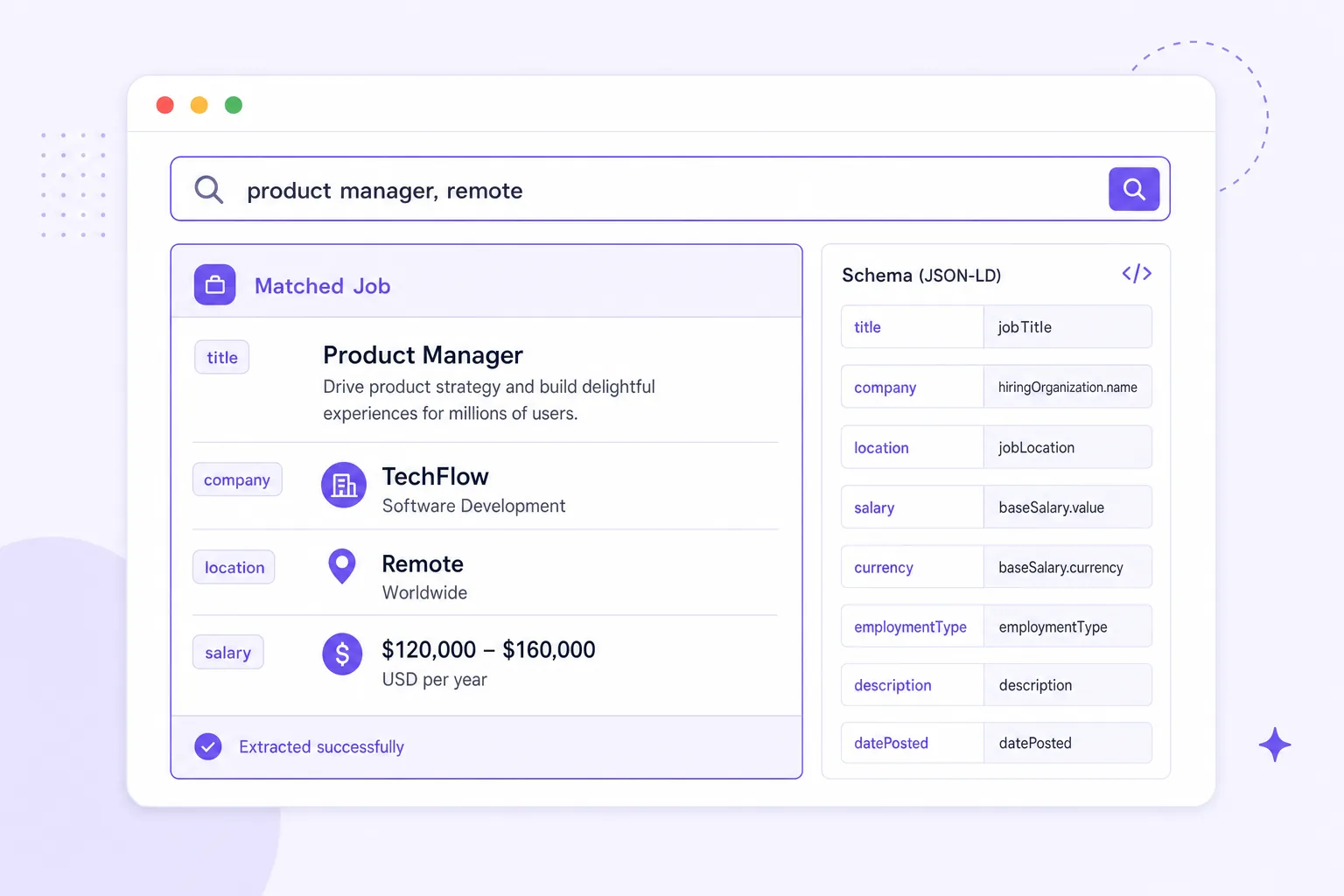
The most common misunderstanding we run into on this topic is right there in the search term itself: employers ask how to post a job on Google as if Google were a job board with a submit form. It isn't. There's no account to create, no listing form to fill out on Google directly. Google for Jobs is an aggregator — it pulls listings in from other sites that use the right structured data, the same way it indexes any other web content. Our guide to posting a job for free mentions this in passing; this page is the full mechanics.
That distinction matters because it changes what "posting" even means here. You get listed on Google for Jobs by posting somewhere else — a job board or your own careers page — that emits valid JobPosting structured data Google can read. Get the markup right and the listing can appear organically, for free, without you touching Google at all.
This page covers how the aggregation actually works, how to get listed via a board or your own site, which schema fields matter most, the validation mistakes that quietly keep listings invisible, and how to check whether you're actually indexed instead of just hoping.
How Google for Jobs actually works
Google for Jobs crawls the web the way Google Search always has, but it specifically looks for pages marked up with schema.org's JobPosting type — a standardized, machine-readable format that tells Google "this is a job listing" along with structured details like title, location, and pay. Pages without that markup can still exist and be findable through normal search, but they won't surface in the dedicated Google for Jobs experience.
This means your path onto Google for Jobs runs through one of two routes: post on a job board that already implements JobPosting schema correctly (many major free boards do, including Jobedly), or mark up your own careers page directly if you're posting there. Either route is free — there's no paid tier to buy your way into the aggregator, because it isn't a placement product, it's a search index.
How to actually get listed
For most small and mid-size employers, the simplest route is posting on a board that already handles the schema correctly, rather than building and maintaining markup on your own site.
- Post on a free job board that implements
JobPostingschema out of the box — Jobedly listings are structured this way by default, which is a meaningful part of why a free post there tends to surface in general search, not just on-site search. - If you have a careers page and want it indexed directly, add valid
JobPostingJSON-LD markup to each job page — this typically requires a developer or a plugin if you're on a common CMS. - Submitting through an ATS that emits schema automatically (Jobedly functions as one for this purpose) removes the need to hand-code markup at all.
- Either route is free — the schema requirement is a technical bar, not a paywall.
Our comparison of free job posting sites notes which channels handle structured data well and which leave listings effectively invisible outside their own on-site search — worth checking before you assume any free board automatically feeds Google for Jobs.
Required vs. recommended schema fields
Google publishes a specific set of properties it expects for JobPosting markup to be eligible for the Jobs experience. Some are required for eligibility at all; others are recommended because they improve how the listing displays and matches to searches.
| Field | Required or recommended | What it does |
|---|---|---|
| title | Required | The job title as it should display in search |
| description | Required | Full job description text |
| datePosted | Required | The date the listing went live |
| hiringOrganization | Required | The employer name (and ideally logo) |
| jobLocation | Required | Structured address, not just a free-text city name |
| validThrough | Recommended (strongly) | Expiration date — missing this can cause stale listings to keep showing |
| employmentType | Recommended | Full-time, part-time, contract, etc. — improves search filtering |
| baseSalary | Recommended | Pay range — improves matching and is increasingly expected by searchers |
| jobLocationType | Recommended | Marks a role as remote (TELECOMMUTE) when applicable |
| identifier | Recommended | A unique job ID, useful for tracking duplicate or repost listings |
validThrough entirely. The listings were eligible but Google's own guidance treats a missing expiration date as a signal the data might be unreliable, and in practice several of their older postings just weren't showing. Adding the field didn't require touching the visible page at all — it fixed itself within the schema, invisibly, and the listings started appearing within days.Common validation errors that keep listings invisible
Markup that's present but invalid is arguably worse than no markup at all, because it looks like it should be working and quietly isn't.
- Missing or malformed
jobLocation— a free-text address instead of a structured object is a frequent, easy-to-miss failure. - No
datePosted, or a date that's obviously stale, which can push a listing out of eligibility over time. - Description text that doesn't match the visible page content — Google checks for this consistency and can penalize mismatched markup.
- Expired listings left live with no
validThroughupdate, leading to stale postings surfacing for roles that are already filled. - Duplicate postings across multiple boards with conflicting details (different pay, different location) confusing which version should be considered authoritative.
Skip the schema debugging entirely
Jobedly emits valid JobPosting structured data automatically on every listing, so you don't have to hand-check markup to show up in Google for Jobs.
Find candidates with AIHow to check whether you're actually indexed
Confirmation emails and "your post is live" messages tell you the listing exists somewhere. They don't tell you whether Google has indexed it into the Jobs experience — that requires checking directly.
- Search Google for the exact job title plus your company name and location, and look specifically for the Jobs carousel/panel, not just a general web result.
- Use Google's Rich Results Test on your specific job page URL to confirm the
JobPostingmarkup validates without errors. - If you have Search Console access for the domain hosting the listing, check the Enhancements report for JobPosting-specific errors and warnings.
- Re-check a few days after publishing, not immediately — indexing isn't instant, and a listing that isn't showing after an hour isn't necessarily broken.
This step matters more than employers usually expect, since the whole appeal of getting listed on Google for Jobs is free, passive reach beyond whatever board you originally posted to. A listing with broken markup gets none of that upside while still costing you the same time to write and publish.
Why organic discoverability matters more right now
Free, passive discovery channels matter more when there's genuinely more competing for attention in paid channels. U.S. job openings sat at 7.594M in May 2026, according to the Bureau of Labor Statistics' JOLTS report — a large number of employers all competing for search visibility on the same major boards at once. A listing that shows up organically in Google for Jobs isn't competing in that same paid-placement race at all, which makes it one of the few channels where volume of competing employers doesn't directly translate into a worse position for you.
It also compounds with remote hiring specifically. Roughly 22.6% of U.S. workers teleworked as of March 2026, per BLS telework data, and a job page marked up correctly with jobLocationType: TELECOMMUTE is more likely to surface for the broader, location-agnostic searches remote candidates actually run. Skipping that one schema property on a remote role quietly narrows your organic reach to people searching by a specific city, which defeats part of the point of hiring remote in the first place.
None of this replaces posting on boards that reach active searchers directly. It's additive — a free layer of reach sitting on top of whatever else you're doing, available specifically because the underlying data is structured correctly rather than because you paid for placement.
Once you're listed, the content still has to work
Getting the schema right earns you eligibility, not results. A technically valid but vague listing shows up in Google for Jobs and still gets skipped, for the same reasons a poorly written post underperforms anywhere else — unclear title, missing pay, an inflated requirements list.
Once the technical piece is handled, the writing fundamentals from our free job posting guide apply exactly the same way here: clear title, visible pay, true requirements, obvious way to apply.
Post once. Let the AI agents do the sorting.
Post a job free on Jobedly and our AI agents surface and rank qualified candidates 0–100 so you spend time on the shortlist, not the pile.
Post a job freeFrequently asked questions
Can I pay to post a job directly on Google?
How do I get my job posting to show up on Google for Jobs?
What is JobPosting structured data?
Why isn't my job showing up on Google for Jobs even though it's posted online?
Do I need a developer to get my careers page listed on Google for Jobs?
How long does it take for a job listing to appear on Google for Jobs?
Glossary
- JobPosting schema
- The schema.org structured data type that marks up a web page as a job listing, enabling eligibility for Google for Jobs.
- Aggregator
- A platform, like Google for Jobs, that indexes and displays listings pulled from other sites rather than accepting direct submissions.
- JSON-LD
- A common format for embedding structured data (like JobPosting schema) directly in a web page's code.
- Rich Results Test
- Google's free tool for checking whether a page's structured data validates correctly for features like the Jobs experience.
- validThrough
- A JobPosting schema field marking a listing's expiration date, which helps prevent stale or filled roles from continuing to surface.